Classic Words Plus
Lulo AppsWord
4.51.43K Reviews
- Version
- 2.10.4-Plus
- Installs
- 100.00K
- Age Rating
- Everyone
Screenshots


Our Review of Classic Words Plus
 Analysis by Appyee
I like word games that make a quiet moment feel like a small contest of judgment, and Classic Words Plus is at its best when it gives me exactly that: a familiar board, a thinking opponent, and no need to find another person or an internet connection. It is a focused word game rather than a flashy package, so its appeal rests on the choices you make with each rack. That simplicity is a strength, though it also means the experience is aimed more at people who enjoy deliberate vocabulary play than at anyone looking for lots of modes or spectacle.
A familiar format with a useful solo challenge
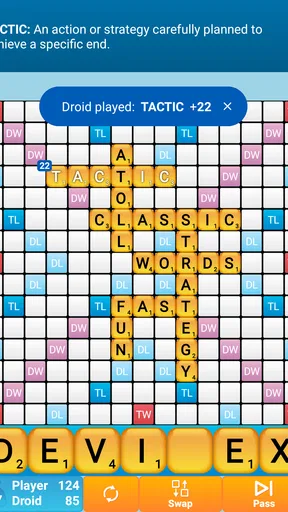
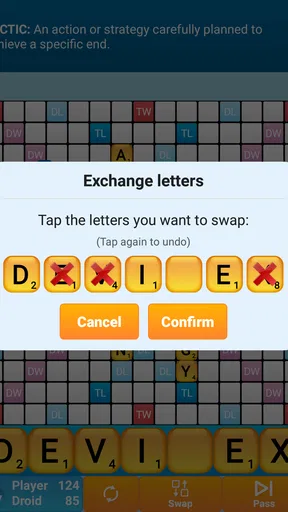
The basic appeal is easy to grasp: build words from letter tiles, place them on the board, and make your points count. The familiar format means I can start playing without learning a complicated set of rules. The more interesting part is deciding whether to take a modest score now or save a useful letter for a better opportunity later. A short turn can still involve real trade-offs, especially when a tempting placement opens a valuable board space for the opponent.
Its AI gives solo play a clear purpose. I can choose a difficulty that suits my mood, using an easier setting to relax or a stronger one when I want to think harder. On tougher settings, the computer can make the board feel competitive rather than merely filling in the other side. That makes the game a practical choice when friends are busy, but it is worth remembering that an AI opponent does not reproduce the unpredictability or banter of a human one.
Helpful tools, with a few things to keep in mind
Playing offline is one of the most useful parts of the experience. I can start a match during a commute, while waiting for an appointment, or somewhere with unreliable reception and keep my attention on the board instead of a connection. That makes it a good fit for small gaps in the day: a game can be picked up when I have time and does not depend on coordinating with another player.
The built-in definitions add value beyond settling whether a word is accepted. When I meet an unfamiliar word, checking its meaning can turn a move into a small vocabulary lesson. Multiple language support also gives people a way to practise words in another language, although I would treat that as a supplement to study, not a substitute for a structured course. If learning is the main goal, pausing to inspect a definition is more useful than racing through turns.
There is a trade-off in relying on a dictionary and computer opponent: a valid word can be strategically poor, and a high-scoring move is not always the best long-term play. I recommend looking at the board before reaching for the biggest word your letters allow. Check what premium spaces your move uses, what it might expose, and whether a short placement can block a useful lane. That habit makes the game more thoughtful than simply trying to play the longest word each turn.
Getting Started with the Game
First things first, downloading Classic Words Plus is a breeze. Available for both Android and iOS, it installs quickly and doesn’t take up much storage space. As soon as you fire it up, you’re greeted with a neat and straightforward interface that’s as inviting as it is functional.
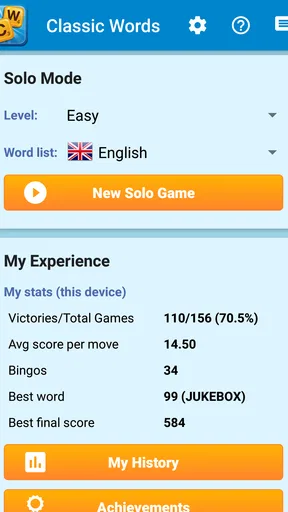
The app comes with several difficulty levels, which means you can start easy if you're looking to ease into the game or ramp it up if you’re in the mood for a real challenge. I found the AI to be surprisingly sharp, especially at higher difficulties. It never feels like you’re playing against a dull computer.
Features That Stand Out
One of the things I love about Classic Words Plus is its offline capability. Whether you're on a plane or in a remote cabin with no internet, you can still enjoy your word battles. This flexibility is a lifesaver for those of us who don’t always have a reliable connection.
The game also supports multiple languages, which is great if you want to brush up on your French or Spanish vocabulary while having fun. The dictionary is robust, and I rarely encounter a word it doesn’t recognize. Plus, there’s a handy word definition feature that’s perfect for expanding your lexicon.
Game Mechanics and User Experience
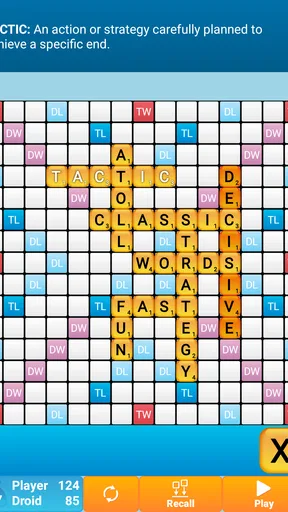
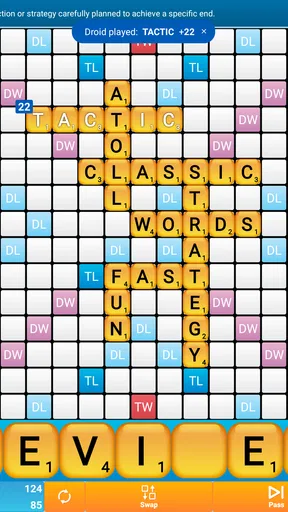
The rules are simple: create words on the board to score points, using tiles with different letter values. Just like Scrabble, but with the convenience of digital play. The controls are intuitive, with a drag-and-drop interface that makes placing tiles a breeze. No more accidentally knocking pieces off the board!
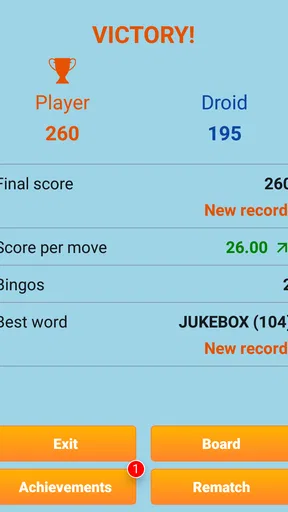
What really hooks you is the scoring system. It’s detailed and keeps track of your progress, providing a sense of accomplishment as you improve. The app also stores your game history, so you can revisit old matches and see how far you've come.
Choosing it over other word games
Compared with word puzzles that ask you to find a hidden answer or race against a timer, this is a slower, more tactical kind of entertainment. I prefer it when I want to plan around letter values and board position rather than solve a one-off clue. Compared with playing a traditional board game, the digital format is convenient for solo sessions and removes the need to set up physical tiles. The downside is that the screen cannot provide the social feel of passing a rack around a table.
For a useful everyday routine, I would play one match during a lunch break and choose a difficulty that lets me finish without turning the break into a stressful tournament. After the game, I might review a definition or revisit a move that felt awkward. That is a better way to make the dictionary and game history useful than tapping through matches without noticing what worked. If I am playing with a beginner, I would start at a forgiving level and focus on learning how board spaces affect a score before raising the challenge.
Visuals and Sound
While the graphics aren’t anything flashy, they’re crisp and clean, which helps keep your focus on the game. The color scheme is easy on the eyes, even during extended play sessions. Sound effects are minimal but effective, providing just enough feedback to keep you engaged without being distracting.
Who will enjoy it most
This suits players who like spelling, planning, and learning at their own pace, including people who want a dependable offline game or a low-pressure way to practise vocabulary. It can also work for families: the straightforward rules make it approachable, while the difficulty options give players room to find a comfortable challenge. For language practice, I would choose a language I already know a little; the game can reinforce recognition, but it will not explain grammar or teach a full vocabulary course.
I would skip it if I wanted a stream of varied mini-games, animated action, or a live social competition. It is also not the best fit for someone who finds word placement games frustrating, since the same board-and-tile format is the main event throughout. If you mainly want to test spelling quickly, a short word-search or anagram game may suit you better. Here, enjoyment comes from weighing several possible moves, not from reaching an answer as fast as possible.
Lulo Apps is the developer, and the game has a 4.6 average from around 9,600 ratings, with over 100,000 installs. It is rated Everyone, costs $9.90, and its current version is 2.10.4-Plus; Android users need version 6.0 or later. It first appeared on July 17, 2012, which fits a game built around a durable format rather than a trend-driven gimmick. The price is worth considering before choosing it: I would compare it with free word games if I only expect to play occasionally, but regular players who value a focused solo opponent and offline use may find the purchase easier to justify.
Why You Should Try It
If you’re a fan of word games, this is a must-try. It’s not just about forming words; it’s about strategy and outsmarting a clever AI opponent. This app is perfect for those moments when you want to challenge your brain but don’t feel like diving into something too complex.
Whether you’re a word game veteran or a curious newbie, the app offers something for everyone. The range of difficulties means it’s suitable for all ages, making it a great choice for family game nights or solo sessions alike.
Final Thoughts
In a world where flashy graphics and elaborate plots often steal the spotlight, it shines with its simplicity and strategic depth. It’s the kind of game that doesn’t just entertain—it educates. You’ll find yourself not just playing, but learning with every match.
So, if you're in the mood for a game that’s equal parts fun and mentally stimulating, give it a download. Trust me, once you start, it’s hard to stop! And don’t forget, you can find the app easily on the Play Store and App Store. Happy spelling!
Verdict
Strengths of Classic Words Plus
- Offline mode available for uninterrupted play.
- Wide range of difficulty levels.
- Customizable game settings.
- Intuitive and clean user interface.
- Supports multiple languages.
Limitations of Classic Words Plus
- Ads can be distracting in free version.
- No multiplayer online mode.
- Limited word database updates.
- Sound effects can be repetitive.
- AI difficulty spikes unpredictably.
Other Releases by Lulo Apps
View All
Classic Words Solo
Word4.5
Similar Picks in This Category
View All
Word Search - Word Puzzle Game
Bluetile4.8

Word Search Quest - Puzzles
Blackout Lab4.8

CodyCross: Crossword Puzzles
Fanatee, Inc.4.7

Words of Wonders: Crossword
Fugo Games4.9

Wordscapes: Word puzzle game
PeopleFun4.7

Word Search Explorer
PlaySimple Games4.9
Frequently Asked Questions
What is Classic Words Plus?
Classic Words Plus is an enhanced version of the popular Classic Words game, which is a digital adaptation of the classic word game Scrabble. It allows players to challenge themselves against a computer opponent or play in a multiplayer mode. The app offers various difficulty levels and supports multiple languages, making it suitable for word game enthusiasts of all skill levels.
How does the multiplayer mode work in Classic Words Plus?
Classic Words Plus offers a local multiplayer mode, allowing two players to compete on the same device. This is perfect for friends and family who want to enjoy the game together without needing an internet connection. Unfortunately, the game does not currently support online multiplayer, so players looking for online matches will need to consider other options.
Is Classic Words Plus available for both Android and iOS devices?
Yes, Classic Words Plus is available for both Android and iOS devices. Users can download it from the Google Play Store for Android devices and the Apple App Store for iOS devices. The app is designed to work smoothly on both platforms, offering a consistent experience regardless of the device you are using.
What are the key features of Classic Words Plus?
Classic Words Plus offers a variety of features, including multiple difficulty levels, a comprehensive dictionary for word validation, and support for different languages. The app also provides detailed statistics and scoring breakdowns, helping players track their progress and improve their skills. The absence of ads in the paid version enhances the gaming experience significantly.
Does Classic Words Plus require an internet connection to play?
No, Classic Words Plus does not require an internet connection to play. The game is designed to be enjoyed offline, making it a great option for those who want to play while traveling or in areas with limited connectivity. However, an internet connection is required for downloading and installing the app from the respective app stores.
Play our best games!


